
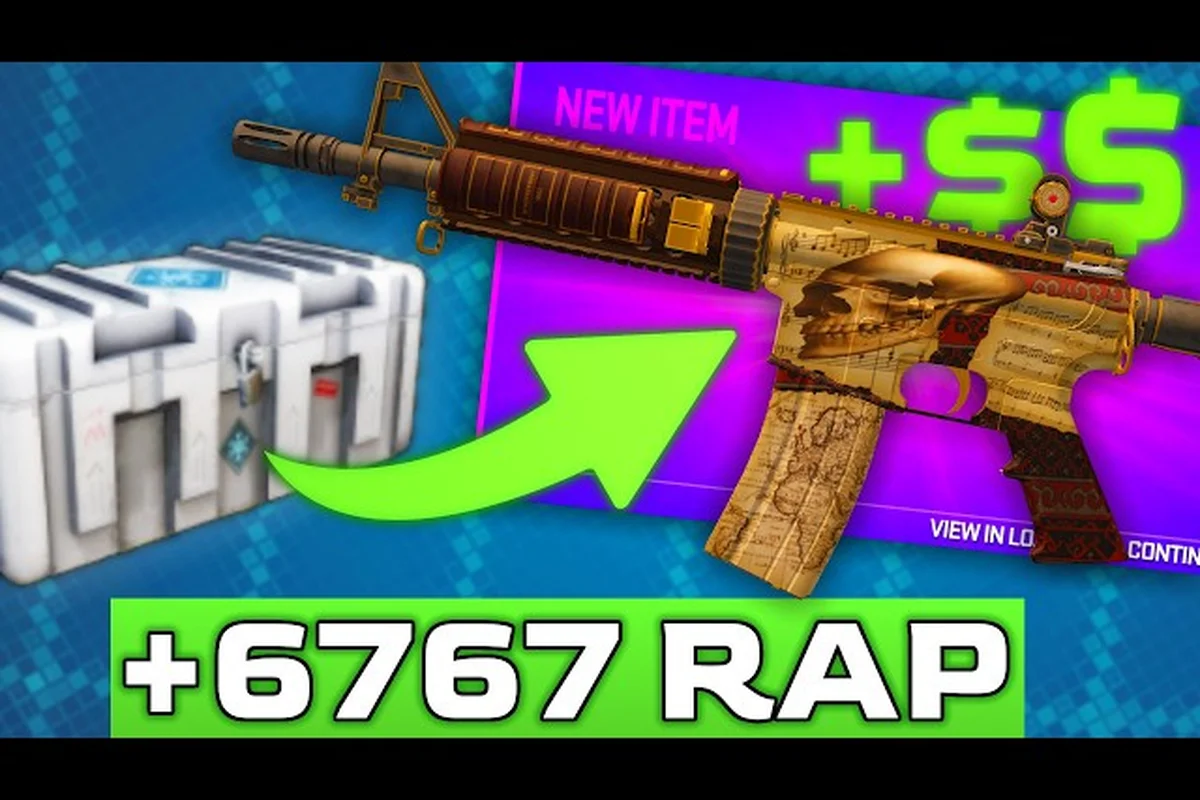
A trade in BloxStrike can flip a junk-tier skin into a knife-grade pull, but it can also drain your inventory if you misread the value sheet or ignore the cooldown. This guide on how to trade in BloxStrike breaks down the rules that govern every swap, the numbers that separate a fair offer from a scam, and the timing tricks that let you rotate inventory without burning Credits on impulse buys.
According to the official BloxStrike X account, players can initiate trades directly through the in-game trade menu once both parties have agreed on the items and values being exchanged.
Trading 101: The Core Rules Every BloxStrike Trader Must Know
The trade window in BloxStrike opens from the main menu once you reach account level 8 and own at least one tradable skin (cases are unboxed with Credits, then the resulting skins are deposited into your inventory). Both parties must satisfy the level requirement, sit in the same server region, and have cleared the seven-day account age gate that the most recent BloxStrike trade update pushed for anti-scam enforcement.
Every confirmed swap runs through a Trade Lock window that shows both inventories side by side for ten seconds before the deal locks in. You cannot edit an offer once the timer hits zero, so adding or removing items after the countdown starts is impossible. Beginners often lose value here because they spam-click accept without checking the opposing side, especially when a "fast trade" partner pressures them to skip the review.
The Five Skin Tiers You Can Actually Trade
BloxStrike rarity drives pricing more than wear does, because the community treats tier as a proxy for case rarity and pull odds. The current skin ladder runs from Blue (common drop) to Gold (case-exclusive), with knife and glove finishes sitting outside the regular tier system as the apex chase items.
| Tier | Color | Typical Source | Trade Difficulty |
|---|---|---|---|
| Blue | Consumer-grade | Daily drops, free case rolls | Low — most traders ignore them |
| Purple | Industrial-grade | Standard cases | Easy, modest value |
| Pink | Restricted | Premium cases | Moderate, in-demand |
| Red | Classified | Event cases | Hard, premium trades |
| Gold | Covert | Knife-adjacent cases | Extremely hard, knife-level value |
| Knife/Glove | Exceedingly Rare | Knife cases only | Apex — usually only paired with credits |
Tradable vs Non-Tradable Items
Not every item in your inventory clears the trade filter, and the distinction has tripped up plenty of new players who tried to offer a souvenir sticker for a knife. According to the official BloxStrike Roblox page, items earned through limited-time events or granted by Gamepass rewards are usually bound to the receiving account for a window of 30 days before they become tradable.
| Item Type | Tradable? | Notes |
|---|---|---|
| Case-opened skins | Yes (after 7-day hold) | Standard post-cooldown flow |
| Daily reward skins | No (30-day bind) | Cannot be offered in trade window |
| Gamepass skins | No (permanently bound) | Soul-bound to purchaser |
| Knife / Glove skins | Yes | Highest-value tradable items |
| Credits | No | Cannot be transferred between players |
How the BloxStrike Trade Cooldown Actually Works
The BloxStrike trade cooldown is the most-leveraged mechanic in the swap economy, because it stops account-boosters from cycling items through alt accounts and it forces real traders to plan a rotation. Right now, the cooldown sits at 7 days for most items, but the timer resets every time you receive a new skin in a trade. That single rule is the reason "trade up" chains feel so slow on a fresh account.
If you trade your Purple-tier AK skin for a Pink-tier M4, the seven-day clock restarts for both items. You will not be able to move the M4 again until the next Monday, which kills the rapid-flip strategy that works in other Roblox economies. Players who try to chain-trade the same skin through multiple partners inside a week find their trade buttons grayed out with a "Trade Lock Active" tooltip.
Cooldown Exemptions and Gamepass Boosts
The October 2026 patch added two exemptions worth flagging. First, items received from a verified BloxStrike Gamepass reward carry a shortened 24-hour cooldown instead of seven days, which makes the BloxStrike Gamepass credits bundle a hidden accelerator for serious traders. Second, skins purchased directly from the in-game store bypass the cooldown entirely, but they are priced at a 30 percent premium over the community value sheet, so the convenience is real but expensive.
| Item Source | Cooldown | Notes |
|---|---|---|
| Player trade | 7 days | Resets on every receive |
| Gamepass reward | 24 hours | Requires Gamepass ownership |
| Store purchase | None | 30% premium over market value |
| Case unbox | 7 days | Standard timer from open date |
| Event drop | 30 days | Longest cooldown in the system |
Common Cooldown Mistakes
The fastest way to get stuck is to accept a trade right before a case rotation, because the item you receive will lock you out of chasing the new drop for a full week. Community data from the r/bloxstrike subreddit shows that a large share of "I got scammed" complaints actually trace back to a cooldown misunderstanding rather than a malicious partner, which is why this is a core topic in any honest guide on how to trade in BloxStrike. Always check the calendar for the next case rotation before you accept, especially if the case you are eyeing is rumored to leave the active pool.
Reading BloxStrike Trade Values Without Getting Fleeced
A reliable value sheet is the second pillar of safe trading, and the community has settled on a two-anchor system: the in-game store price (the "soft floor") and the recent-sale average from the in-game marketplace (the "real price"). Most BloxStrike trade values fall between these two numbers, and trades that sit well outside that band are almost always a bad deal for one side.
The official marketplace now lists a 30-day median price for every tradable skin, which makes it harder to bluff a rookie into accepting an unfair offer. According to the official BloxStrike Twitter account, that price-history panel was added in the most recent trade update, and it gives both sides of the trade a neutral reference before they lock the offer.
Building a Quick Value Checklist
Before you click accept on any deal, run the skin on your side through three filters. First, compare it to the in-game store floor — anything trading below 70 percent of the store price is suspicious. Second, check the 30-day median on the marketplace panel. Third, scan the r/bloxstrike weekly thread for the most recent community-reported trades involving the same skin and finish.
| Checklist Step | Why It Matters |
|---|---|
| Check store floor | Catches obvious lowball offers |
| Pull 30-day median | Anchors you to recent real sales |
| Skim community thread | Spots market shifts from new drops |
| Inspect wear float | Same tier, different float = different price |
| Confirm pattern tier | Pattern-driven skins (butterfly) can spike 3x |
How Wears and Patterns Move the Number
Two skins of the same tier do not always trade for the same value, because float and pattern index can swing the price by a factor of three or more. A Factory New M4 with a clean pattern will outprice a Battle-Scarred version of the same skin by a wide margin, and pattern-indexed knives can reach 10x their base value if they hit a high-tier roll. The trade window does not show float automatically, so use the inspect tool before the deal locks.
This is also the reason the community rates the Butterfly Case as the most volatile trade vehicle in the current pool — the BloxStrike butterfly case drop rates push most pulls into lower patterns, which keeps the high-pattern inventory rare enough to anchor premium trades. When you see a Butterfly Knife trade in a public offer, assume the pattern is part of the price until proven otherwise.
Smart Trading Strategy: Building a Credit-to-Inventory Pipeline
A trading strategy is only as good as the Credits feeding it, so the cleanest loop in the current BloxStrike economy is: earn Credits through matches and daily rewards, convert those Credits into cases during high-odds rotations, then trade any duplicate skins you pull for the items you actually want. This pipeline does not require a single Robux top-up, which is why the no-Robux route to trading is the most-recommended path for new accounts.
The October 2026 trade update also introduced a small Credits bonus on the first trade of the day, which makes it worth queueing a 5v5 match right before you open the trade window. That bonus is capped at one per UTC day and only fires if your account is at least level 10, so plan your trading sessions around that window.
Spending Credits on Cases vs Trading Skins
Deciding between buying cases with Credits and saving Credits for direct purchases is a recurring decision in the economy. The general rule from community testing is that case openings return roughly 60-80 percent of their input value on average, while direct store purchases return exactly 100 percent minus the 30 percent trade-premium. The case route wins when a fresh rotation hits, because drop rates are temporarily buffed for the first 72 hours of a new case release.
| Option | Avg Return | Best For |
|---|---|---|
| Buy cases with Credits | 60-80% | Chasing high-tier pulls during rotation |
| Store purchase | 70% net (after premium) | Guaranteed skin, no cooldown |
| Trade duplicate skins | 90-110% | Flipping value between players |
| Hold Credits | 100% | Waiting for next rotation spike |
The case route ties directly into the broader credit economy, and players who want a deeper walkthrough of the no-Robux credit loop can follow the BloxStrike credits to cases guide for the full pipeline. Pairing that with a reliable credit farm is the easiest way to keep the trade window fed without touching real money.
Reading a Partner Before the Trade Locks
Scam pressure is real even with the in-game trade window, because the partner on the other side of the deal can talk to you in chat while the timer counts down. Slow your review speed if the partner rushes the accept, and never accept a "first-trade bonus" offer that includes Credits or Robux, because both are non-tradable and they always indicate a scam attempt. If the partner is offering 2-3x market value on a tier they claim to "need urgently," they are almost certainly baiting you into adding Credits on your side as a "good-faith" gesture.
A useful habit is to record your high-tier trades via the built-in replay system and post them to the r/bloxstrike weekly thread. The community rewards verified trades with reputation, and that reputation becomes leverage when you negotiate a deal involving a knife or glove skin. According to community data, traders with a public log of 20+ swaps close deals roughly 25 percent faster than anonymous accounts.
Advanced Trading Tactics: Timing, Rotation, and the Gamepass Edge
The difference between a casual trader and a profitable one usually comes down to timing. The BloxStrike economy has three predictable windows where values move: a new case launch (48-72 hour spike), a major patch day (value compression), and a weekly maintenance reset (small bump on items that were locked during downtime). Planning your trade sessions around these windows is more impactful than any single pricing trick.
Another factor is server population, because off-peak servers tend to have fewer trade listings, which means higher prices on listed items but slower match queues. Peak-hour servers flood the market with new case pulls, which drops the value of freshly unboxed skins but creates arbitrage opportunities for traders who already hold inventory.
The Gamepass Edge: Is It Worth It?
The BloxStrike Gamepass bundle includes a 24-hour trade cooldown override, an extra daily trade bonus, and a small Credits stipend on login. For active traders who run two to three swaps a week, the cooldown override alone can be worth the Robux cost, because it removes the worst bottleneck in the system. Casual traders who swap once a month will not recoup the cost.
| Gamepass Perk | Trader Value | Casual Value |
|---|---|---|
| 24h cooldown override | High | Low |
| Daily trade Credits | Medium | Low |
| Login stipend | Low | Low |
| Exclusive case access | Medium | Medium |
If you are weighing the Gamepass for trading purposes, the breakeven point is roughly one premium trade per month. Below that frequency, the Credits bundle plus the how to get credits in BloxStrike free routes are a more efficient path.
Trading Around the Match Loop
Your in-match performance directly affects your trade leverage, because the Credits you earn from kills, bomb plants, and round wins feed straight into case purchases. The BloxStrike credits per kill breakdown explains how different playstyles generate different Credit yields, and high-Credit players can afford to absorb a bad trade and rebuild faster. Treat your trade inventory as an extension of your match performance: better matches mean more Credits, which means more case opens, which means more tradable inventory to work with.
A practical routine is to grind two competitive matches after each major patch, then spend the resulting Credits on whatever new case dropped, then trade any duplicates the same evening. This compresses the cooldown window and keeps your inventory active instead of locked. Players who spread their trades across the week end up with more items stuck in cooldown than players who batch their activity into 24-hour bursts.
Frequently Asked Questions
How long is the BloxStrike trade cooldown in 2026?
The standard cooldown sits at 7 days for items received from a player trade, and it resets every time you receive a new skin. Gamepass reward items drop to 24 hours, while store purchases bypass the cooldown entirely at a 30 percent premium. The 30-day timer still applies to event-exclusive skins, so always check the item's tooltip before locking an offer.
Can you trade Credits directly in BloxStrike?
No, Credits are non-tradable across the board. Any partner who offers "Credits inside the trade window" is running a scam, because the in-game trade filter blocks Credits from being added. The only legitimate way to move Credits to another player is through gifting a case or a skin, then having the recipient sell it back for Credits on the open market.
What is the safest way to start trading in BloxStrike?
Start with Purple-tier skins you do not plan to use, because their value is low enough that a bad trade is recoverable and the cooldown only locks a small-value item. Verify every offer against the in-game marketplace median and the community weekly thread, and never accept a deal that pressures you to skip the ten-second review timer. Building a small trade log of 5-10 verified swaps is the fastest way to learn the value curve.
Do Gamepass skins hold their value in trades?
Gamepass skins are typically soul-bound and cannot be offered in the trade window, so they do not appear in standard swaps. The exception is the Gamepass trade-cooldown override, which lets you re-trade items you received from other players in 24 hours instead of seven days. That perk is what makes the Gamepass valuable to active traders, even if the Gamepass skins themselves stay permanently bound to the original purchaser.
How do I know if a BloxStrike trade update changed the rules?
The official BloxStrike Twitter account posts every trade update within minutes of the patch going live, and the patch notes are pinned to the top of the r/bloxstrike subreddit on patch day. According to community reports, the most reliable signal of a rule change is the in-game patch banner, which usually summarizes cooldown or value changes before the trade window even loads. If you trade on patch day, queue a private match first and double-check your inventory before opening the trade panel.