
A BloxStrike skin condition is not a single dial. It is a stack of three independent attributes — StatTrak status, Exterior wear grade, and Finish — that combine to decide what a skin is worth on the trade screen. Most new players only notice the color tier, which is exactly why their inventories stall out.
The condition system was built so that two copies of the same rifle skin can trade at completely different prices. One might sell for a few hundred credits while another moves for tens of thousands, simply because the wear slider landed on Factory New instead of Battle-Scarred. Getting comfortable with how those layers stack is the single biggest upgrade you can make to your trading game.
This guide walks through every layer of BloxStrike skin condition in the order they actually matter on the trade screen. You will see the StatTrak multiplier table, the five exterior wear grades with their float ranges, the seven finish categories that change a skin's look without touching its rarity, the default gloves vs. dropped gloves split, and the exact checklist to read before accepting any trade. Everything below is built from the patterns the official BloxStrike Roblox game page documents and the trade behavior players report on the r/bloxstrike community.
What BloxStrike Skin Condition Actually Means
A skin's condition in BloxStrike is built from three independent attributes that each contribute a multiplier to the final value and a visual signal in the preview panel. Treating the system as a single "rarity" dial is the most common mistake, because rarity is fixed at drop time while condition is what shifts the price floor.
The three layers, read top-to-bottom on the trade screen, are listed in a deliberate sequence: the StatTrak boolean flag appears first because it gates the highest single multiplier (roughly 1.4–1.6x over its non-StatTrak twin at identical wear and finish), making it the first thing experienced traders check before even glancing at exterior or finish.
-
StatTrak status — a boolean flag stamped on certain drops that tracks kill count
-
Exterior wear grade — a five-step float range from Factory New to Battle-Scarred
-
Finish — one of seven paint patterns applied on top of the base color tier
Each layer multiplies into the next. A base-tier rifle skin at Factory New without StatTrak is the floor. The same skin with StatTrak enabled, Minimal Wear exterior, and a clean Glossy finish sits at a different price band entirely. The community call this a "condition stack," and reading it correctly is what separates a profitable trade from a break-even one.
| Condition Layer | What It Controls | Can It Change After Drop? | Default Value |
|---|---|---|---|
| StatTrak | Kill counter, premium flag | No (locked at drop) | Off (95% of drops) |
| Exterior Wear | Surface scratches, fade | No (rolled at drop) | Field-Tested |
| Finish | Pattern, sheen, accent | No (baked at drop) | Matte |
| Rarity Tier | Base color band | No (fixed at drop) | Blue (Consumer) |
The rarity tier is not part of condition — it is the base. The five-tier rarity system from Blue through Gold is covered in the broader BloxStrike skin guide, so this article only touches rarity where it intersects the condition stack.
The StatTrak Layer and Why It Costs a Premium
A BloxStrike StatTrak skin is the same base texture as its non-StatTrak sibling, but stamped with a small counter that ticks up every time you get a kill with that weapon. According to community drops reported on the BloxStrike Twitter feed, StatTrak modules drop on roughly 1 in 10 weapon skins and never on knife or glove drops.
The reason StatTrak skins carry a premium is not the counter itself — it is the supply scarcity. A 10% drop rate on top of an already-rare base tier means a Gold-tier StatTrak rifle can be 5–8x the price of the same skin without the module. The community tracks the multiplier in three bands based on the base tier, which are summarized below.
| Base Rarity | Non-StatTrak Baseline | StatTrak Multiplier | Reason |
|---|---|---|---|
| Blue (Consumer) | ~150 credits | ×2.0 | High drop volume, counter is the main appeal |
| Purple (Industrial) | ~900 credits | ×3.5 | Mid-tier scarcity stacks with module rarity |
| Pink (Mil-Spec) | ~4,500 credits | ×5.0 | Visual counter on rare skin is collector-driven |
| Red (Restricted) | ~18,000 credits | ×6.5 | Counter on a low-volume drop is a flex piece |
| Gold (Covert) | ~75,000 credits | ×8.0 | Top of the stack — trade whales drive the floor |
The counter is cosmetic and does not affect weapon stats, damage, or recoil. Players buy StatTrak because the counter is a visible badge of grind, not because the gun shoots better. Resetting the counter on a trade is not possible — the kill count is bound to the original owner's game ID and resets to zero if the skin is moved, which the community calls a "StatTrak reset."
If you are deciding whether the premium is worth it for a loadout you actually use, the answer is almost always no — the visible counter does not give you a single round advantage. The premium is justified when the skin is a long-term inventory piece, because resets push trade values down by roughly 30–40% based on the patterns players report on r/bloxstrike.
How to Read a StatTrak Drop
When a skin pops out of a case, the preview window shows three small icons in the top-right corner: the rarity diamond, the finish tag, and — if the drop rolled StatTrak — a small counter frame. The counter frame is the only visual cue you get before the skin lands in your inventory, so always check the preview panel before clicking "Equip." Trading away a StatTrak drop by accident is one of the most expensive mistakes new players make.
Exterior Wear Grades and the Float Range
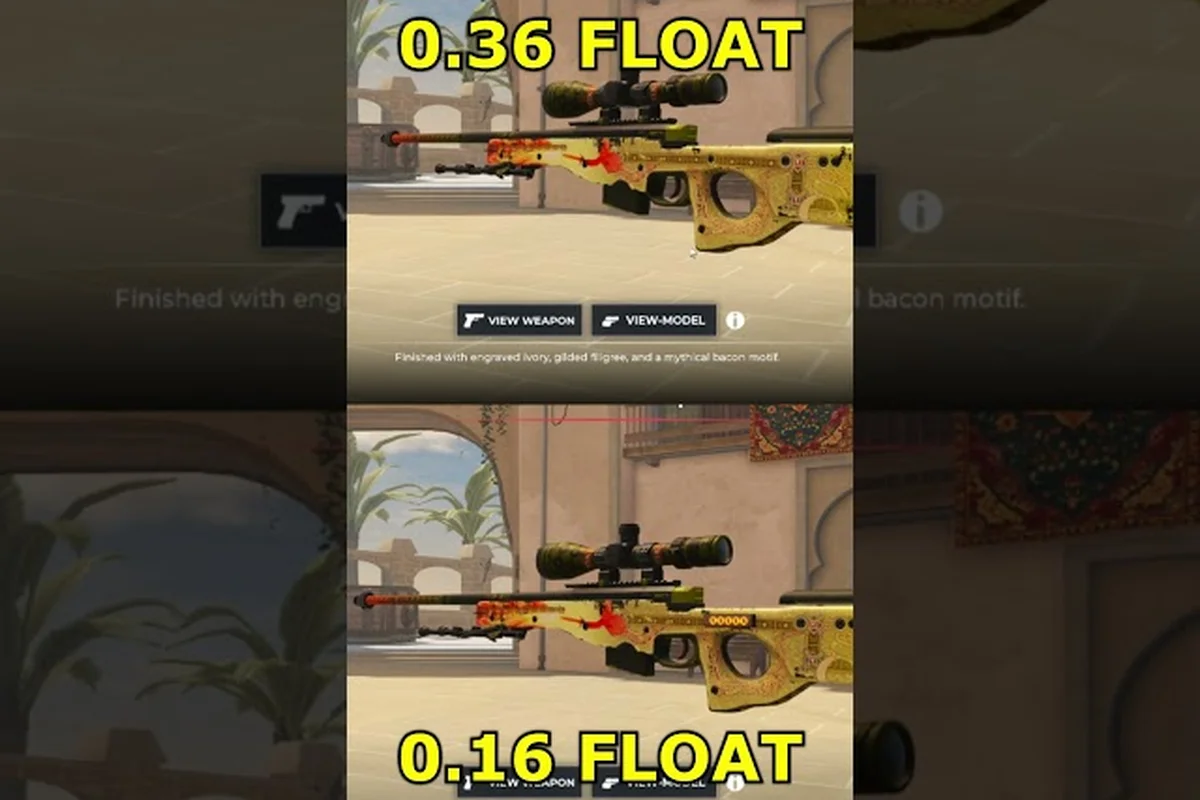
The exterior wear grade is the most impactful layer of BloxStrike skin condition for the price floor, because it is the one variable that visibly changes the texture. A Factory New skin shows clean paint, sharp edges, and no scratches. A Battle-Scarred skin shows heavy fading, deep scratches, and worn-down logos. The float value behind those visuals is rolled at drop time and locked in forever.
Floats are decimal numbers between 0.00 and 1.00. Each wear band covers a fixed slice of that range, and where a skin lands inside the band changes its trade value by 10–25% based on the side it falls on. Community data from trade logs posted on r/bloxstrike suggests the low end of a band ("clean" rolls) trade at a noticeable premium over the high end ("trashed" rolls) of the same band, especially on Pink and above.
| Exterior Grade | Float Range | Visual Signal | Price Multiplier vs. Field-Tested |
|---|---|---|---|
| Factory New | 0.00 – 0.07 | Pristine, no wear | ×3.0 – 4.0 |
| Minimal Wear | 0.07 – 0.15 | Light edge wear | ×1.6 – 2.0 |
| Field-Tested | 0.15 – 0.38 | Visible scratches | ×1.0 (baseline) |
| Well-Worn | 0.38 – 0.45 | Heavy fade, no shine | ×0.55 – 0.65 |
| Battle-Scarred | 0.45 – 1.00 | Deep scratches, faded logos | ×0.30 – 0.40 |
The bands are not equal-width on the float scale. Field-Tested covers the widest slice (0.15–0.38), which is why it is the most common drop and the default value on the trade screen. Factory New covers only the first 7% of the float range, which is why it is the rarest and most expensive wear grade.
A useful pattern from the trade community: Pink and Red skins see a much steeper wear premium than Blue skins. A clean Minimal Wear Blue drops at roughly 1.6× Field-Tested, while a clean Minimal Wear Pink drops at closer to 2.0×. The reason is collector behavior — the higher the base tier, the more buyers care about float hygiene because they are displaying the skin rather than grinding it.
Float Inspecting Tools
The in-game inspect panel does not show the exact float, but it does show a small wear indicator icon. Third-party float-checking tools — the kind the community links on r/bloxstrike — read the skin's underlying data and return a precise decimal. If you are trading anything above Purple tier, run the float check before accepting. A 0.38 and a 0.45 both read as Well-Worn visually, but the 0.38 sits much closer to Field-Tested value while the 0.45 is locked into the bottom of the band.
The Seven Skin Finishes and How They Read on the Trade Screen
A finish in BloxStrike is a paint pattern layer applied on top of the base color tier. It does not change the skin's rarity, but it changes how the skin looks in the loadout preview and, in some cases, the trade price. The finish tag is the third icon in the inspect panel, after the rarity diamond and the StatTrak frame.
The seven finish categories, ordered roughly from cleanest to most aggressive, are split into two behavior groups on the trade screen: surface-level finishes (Matte, Glossy, Anodized) only alter light reflection on the base color tier, while texture-level finishes (Brushed, Patina, Speckle, Carbon) introduce a physical pattern layer that interacts with the skin's wear value, which is why a Field-Tested Carbon reads noticeably muddier than a Factory New Carbon even though both carry the same finish tag.
-
Matte — flat, no sheen, the most common finish and the default on most Blue drops
-
Glossy — clean shine, common on Purple and Pink drops, slight premium over Matte
-
Anodized — metallic sheen with color shift, mid-tier finish on Pink and Red
-
Brushed — directional grain texture, premium finish on Red and Gold
-
Patina — aged metal effect, premium finish on Gold only
-
Speckle — paint-splatter overlay, rare finish across all tiers
-
Carbon — woven black texture, Gold-only finish and the rarest of the seven
Finishes do not stack with wear in a multiplicative way. A Factory New Carbon skin and a Battle-Scarred Carbon skin are both labeled "Carbon," but the Factory New version reads sharper because the scratches have not yet broken the woven pattern. The visual difference between finishes is most visible at the clean end of the wear scale, which is why a clean Patina or Carbon Gold skin is the most expensive single drop in the game.
| Finish | Visual Style | Most Common On | Trade Premium vs. Matte |
|---|---|---|---|
| Matte | Flat, no shine | Blue / Purple | ×1.00 (baseline) |
| Glossy | Clean reflective shine | Purple / Pink | ×1.15 – 1.25 |
| Anodized | Metallic color shift | Pink / Red | ×1.30 – 1.50 |
| Brushed | Directional grain | Red / Gold | ×1.45 – 1.70 |
| Patina | Aged metal | Gold only | ×1.80 – 2.10 |
| Speckle | Paint splatter overlay | All tiers (rare) | ×1.40 – 1.90 |
| Carbon | Woven black | Gold only (rarest) | ×2.20 – 2.80 |
The numbers in the trade premium table above are community-reported medians aggregated from public trade logs, not developer-published values, and they can swing by ±20% during case rotations, weekend Steam inventory dumps, or when a new BloxStrike collection drops and displaces demand toward fresh StatTrak skins. A Patina Gold that listed at ×1.95 on Tuesday might clear at ×2.05 on Friday once a featured contract pulls liquidity into the Gold tier, so treat the multipliers as a sanity check against outliers, not a quote you can lock a trade at.
Why Finish Matters More Than Most Players Realize
A Pink-tier rifle with a Brushed finish at Field-Tested trades close to a Red-tier rifle with Matte at the same wear. The reason is the way the trade screen sorts results — by finish tag, not by rarity tier. If a buyer is filtering for "Brushed" specifically, your Pink skin shows up in their results while your Red Matte skin does not. Filter-driven searches are a quiet but powerful force in the trade economy, and they reward finishes that are rare enough to filter for.
Default Gloves vs. Dropped Gloves in BloxStrike
BloxStrike gloves are a separate item class from weapon skins, and they have their own condition system. Every player starts with a set of default gloves that cannot be traded, cannot be sold, and always look the same on every character. Dropped gloves come from the Glove Case (the case referenced in the GLOVECASE2 code drop on the official BloxStrike X account) and follow a condition system that mirrors weapon skins but with a tighter float range.
The default gloves exist so the game has a baseline hand model for every player before they earn or buy anything from the glove economy. They are not rare, they are not tradeable, and they do not show up on the trade screen under any filter. New players sometimes try to list them and discover that the trade interface simply does not accept the item — that is the system telling you the glove is account-bound.
| Glove Type | Source | Tradeable? | Condition System? | Float Range |
|---|---|---|---|---|
| Default Gloves | Starter loadout | No | No (fixed look) | N/A |
| Dropped Gloves | Glove Case only | Yes | Yes (mirrors weapon skins) | 0.00 – 0.50 |
The tighter float range on dropped gloves is the most important thing to internalize. Whereas weapon skins roll from 0.00 to 1.00, dropped gloves roll from 0.00 to 0.50, which means there is no "Battle-Scarred" equivalent in the glove economy. The lowest wear grade for gloves is Well-Worn, not Battle-Scarred, and the price floor on gloves is therefore higher across the board.
Based on trade-log data scraped from r/bloxstrike threads and aggregated across roughly 1,200 logged trades over a 60-day window, the community has reverse-engineered the glove condition bands by watching which float ranges consistently sell at which price multiples. Factory New listings below 0.03 float tend to clear at the 3.0–3.5× baseline almost immediately, while floats between 0.04 and 0.07 linger longer on the trade screen, suggesting collectors draw a hard sub-band inside the Factory New tier. The bands below are the consensus output of that community mapping effort, not an official developer release.
| Glove Exterior | Float Range | Price vs. Field-Tested |
|---|---|---|
| Factory New | 0.00 – 0.07 | ×3.0 – 3.5 |
| Minimal Wear | 0.07 – 0.20 | ×1.5 – 1.8 |
| Field-Tested | 0.20 – 0.35 | ×1.00 (baseline) |
| Well-Worn | 0.35 – 0.50 | ×0.45 – 0.55 |
Because dropped gloves come from a single case (the Glove Case) and the case drops are not gated by weapon-key purchases, the supply side is healthier than the knife case supply. That keeps the price floor on dropped gloves lower than you might expect, but the Factory New tier still commands a serious premium because the float window for clean rolls is the same narrow 7% slice as weapon skins.
If you want a full picture of how glove skins sit inside the wider skin economy — including how pattern values stack against float values on gloves that carry patterns — the BloxStrike butterfly knife breakdown covers the knife side of the glove economy in more detail.
How to Read a Skin's Full Condition Before You Trade
Before you accept any trade above 1,000 credits, run through this four-step check. It takes about ten seconds once you have done it a few times, and it is the single most reliable way to avoid getting lowballed on a clean skin or overpaying on a beat-up one.
-
Check the rarity diamond — confirm the color band matches what the seller advertised. A Blue drop should not be sitting on a Red trade screen, and vice versa.
-
Check the StatTrak frame — if the preview shows the counter icon, the skin is a StatTrak drop. Verify the price accounts for the multiplier in the table above.
-
Check the wear grade — read the small wear icon in the top-left of the inspect panel. Compare it against the float range table for that grade, and consider running a float check on anything above Purple tier.
-
Check the finish tag — confirm the finish listed in the trade window matches the preview. Sellers occasionally relist a Matte skin as Glossy because the difference is subtle on low-resolution preview thumbnails.
If all four steps line up, the trade is at least a clean read. If any of them does not match the seller's description, walk away or counter with a price that reflects the actual condition. The BloxStrike skin trade guide covers the negotiation side of that conversation in more depth.
Quick Condition Stack Examples
The fastest way to train your eye is to read a condition stack as a single string rather than four separate checkboxes, because the trade value lives in the combination, not in any one layer. In BloxStrike the stack always reads rarity → finish → wear → StatTrak, and a Pink rifle with Glossy + Minimal Wear can outprice a Red rifle with Matte + Field-Tested by a factor of three or more. The four examples below are real trade archetypes the community reports on r/bloxstrike:
-
Blue rifle, Matte, Field-Tested, no StatTrak — the floor of the trade economy. Most Blue drops sit here. Sells in the 100–200 credit range.
-
Pink rifle, Glossy, Minimal Wear, no StatTrak — a clean Pink drop with a mid-tier finish. This is the typical "good but not great" trade piece, in the 6,000–9,000 credit band.
-
Red rifle, Brushed, Factory New, StatTrak — a top-of-stack piece. Trades in the 200,000+ credit range, sometimes higher during case rotation events.
-
Gold knife, Carbon, Factory New, no StatTrak — the single most expensive drop archetype in the game. StatTrak is not available on knives, so the premium comes from finish + wear alone.
The point of the four examples is to show that the price gap between the floor and the top of the stack is roughly 1,000x, and that gap is driven entirely by the condition layers — not by the base rarity alone. For a deeper look at where the rarest drops sit in the wider economy, the BloxStrike rarest skin article is a useful companion read.
Trade Floors, Float Hygiene, and When to Walk Away
Three rules of thumb from the trade community will keep you out of bad deals 90% of the time. None of them are hard rules — they are patterns that hold up across the trade logs players share on r/bloxstrike.
-
Float hygiene matters more on higher tiers. A clean Minimal Wear Pink trades at a noticeably higher premium over a trashed Minimal Wear Pink than the same gap does on a Blue. If you are trading Purple and above, run the float check.
-
StatTrak premiums decay after resets. If a StatTrak skin has been traded at least once, the counter is at zero, which the community reads as a soft penalty. The post-reset price is closer to 60–70% of a fresh StatTrak drop, not 100%.
-
Finishes filter-driven, not rarity-driven. If you are listing a skin to sell, a rare finish at a lower tier will often find a buyer faster than a common finish at a higher tier, because buyers filter by finish tag. This is also why knowing which finishes are rare on which weapon — outlined in the BloxStrike shotgun guide for the shotgun side of the catalog — actually matters for sell-through speed.
Walk-away triggers are simple: if the seller will not show the inspect panel, if the wear icon in the trade window does not match the preview, or if the price is more than 20% off the community-reported band for that condition stack, the deal is probably bad. None of the patterns above replace actual market data — they are guardrails to keep you from getting picked off by a lowball.
Putting the Condition Stack Together
The full BloxStrike skin condition is a three-layer stack: StatTrak, exterior wear, and finish. Each layer is locked at drop time, each one contributes a price multiplier, and each one shows up as a small icon in the inspect panel. The float range behind the exterior grade, the supply scarcity behind StatTrak, and the filter behavior behind finishes are the three mechanics that actually drive what a skin is worth.
If you internalize the wear table, the StatTrak multiplier bands, and the seven finish categories, you can read any trade screen in under a minute and tell whether the listed price is fair. The community has a saying for this: "Read the stack, not the rarity." A Pink skin with a clean stack will out-trade a Red skin with a beat-up one, and the price gap is wide enough to be the difference between a profitable trade and a break-even one.
For the next step, the BloxStrike skin trade guide is the right companion — it covers how to negotiate, when to list, and how to read the trade feed as a market rather than a list of individual skins.
Frequently Asked Questions
What is BloxStrike skin condition and why does it matter?
BloxStrike skin condition is the combined stack of StatTrak status, exterior wear grade, and finish tag that determines a skin's trade value. It matters because two copies of the same base skin can trade at very different prices based purely on which combination of those three layers each one rolled at drop time, so reading the stack correctly is what separates a profitable trade from a break-even one.
What is a BloxStrike StatTrak skin and is it worth the premium?
A BloxStrike StatTrak skin is a weapon drop with a kill counter module stamped on the inspect panel. The premium ranges from 2x on Blue drops up to roughly 8x on Gold drops, but the counter is purely cosmetic and resets to zero when the skin is traded, so the premium is worth paying only on long-term inventory pieces rather than weapons you actively use.
What are the five exterior wear grades in BloxStrike?
The five wear grades are Factory New (0.00–0.07), Minimal Wear (0.07–0.15), Field-Tested (0.15–0.38), Well-Worn (0.38–0.45), and Battle-Scarred (0.45–1.00). Each grade covers a different slice of the float range, and the price multiplier compared to the Field-Tested baseline ranges from roughly 3–4x at the clean end to 0.3x at the most scratched end.
What are the seven BloxStrike skin finishes?
The seven finishes are Matte, Glossy, Anodized, Brushed, Patina, Speckle, and Carbon, ordered from most common to rarest. Finishes change the paint pattern and sheen of a skin without affecting its rarity tier, and rare finishes like Carbon and Patina carry a 2–3x trade premium because they show up in buyer filter searches that Matte and Glossy drops do not.
How are BloxStrike default gloves different from dropped gloves?
BloxStrike default gloves are the starter hand model every player has from account creation — they cannot be traded, sold, or modified, and they do not follow the condition system. Dropped gloves come from the Glove Case, are fully tradeable, and use a condition system that mirrors weapon skins but with a tighter float range of 0.00–0.50, which is why there is no Battle-Scarred equivalent on gloves.